
BPM Finder and Tap Tempo
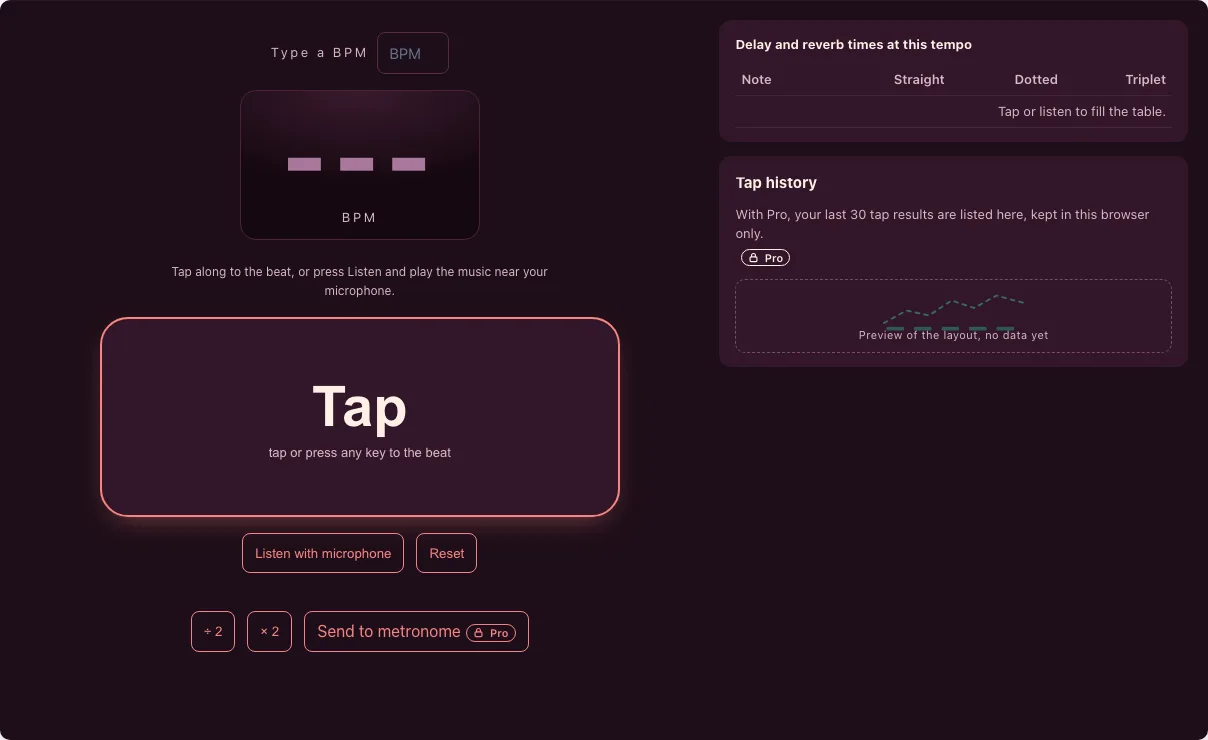
Tap the beat, or press Listen and play the music near your microphone. The BPM, tempo name and delay times appear at once.
Free · runs in your browser · nothing is uploaded
Recent
Your last 10 settings, saved only in this browser. Nothing is uploaded.
This free BPM finder gives you the tempo of a song in beats per minute in two ways. Tap along with the music, or press Listen and play the song, a drum or a clap near the microphone: the page picks out the beats and shows the BPM live. Next to the number you get the tempo name (Andante, Allegro…), a half-time and double-time switch, and a table of delay and reverb times in milliseconds for that tempo.
It runs in your browser. Microphone sound is analysed on your device and is never recorded or uploaded. Tapping needs no permission at all, and the listener needs only the microphone permission your browser asks for once. If the number looks half or double what you feel, one button switches octave, so you always end up with the speed you actually count.
How to find a BPM
- Tapping. Tap the big pad, or press any key, on every beat. After two taps you see a first number; after eight it is steady. Wait two seconds and the next tap starts a new count. A stray or double tap is dropped when it is far from your usual beat.
- Listening. Press Listen with microphone and allow the microphone. Play the music near it, clap, or play your instrument. The level bar moves, and after a few seconds the BPM appears and keeps updating. Turn the volume of the source up and keep other noise down for the best result.
- Check the octave. If the number is half or double of what you feel, press ÷ 2 or × 2. Beat detection cannot always know whether you count the main beats or every second one, so this switch is yours.
- Use the result. Copy the tempo, read the delay times for a plug-in or pedal, or press Send to metronome to open the metronome at that BPM (Tonelume Pro). Reset clears the taps and the listener. You can also type a BPM into the box to fill the delay table for a tempo you already know, and the tempo name is shown for any number you enter.
What is a BPM finder?
BPM stands for beats per minute. A BPM finder measures the time between beats and converts it: BPM = 60,000 divided by the gap between beats in milliseconds. A gap of 500 ms is 120 BPM, a gap of 600 ms is 100 BPM.
How does the tap tempo work?
The finder averages the time between all your recent taps, using up to the last twelve. If one gap is more than 35 percent away from the typical gap, it is thrown out as a double tap or a missed beat. Example: taps at 0, 500, 1000, 1500, 2000 and 2500 ms give 120 BPM; add one stray tap at 2730 ms and the answer is still 120 BPM.
How does it find the BPM from the microphone?
The page splits the sound into short slices, measures how much the spectrum rises from one slice to the next (spectral flux), and marks a beat where that rise is clearly above the surrounding level. The tempo is then the spacing that best fits those beats and their multiples. Detection uses the Meyda audio analysis library. We tested the whole chain on generated click tracks with known tempos:
| Test tempo | Noise | Result |
|---|---|---|
| 62, 78, 100, 128 and 174 BPM | quiet, medium and loud background noise, two runs each | 30 of 30 within 2 BPM |
| 113 BPM click track played through a test microphone in a real browser | light noise | 112.9 BPM |
Clean, repeated beats such as drums, claps or a clicking track work best. Music without a clear pulse, such as slow strings or rubato playing, has no steady BPM to find.
Tempo names
| Tempo name | BPM from |
|---|---|
| Grave | below 40 |
| Largo | 40 |
| Larghetto | 60 |
| Adagio | 66 |
| Andante | 76 |
| Moderato | 108 |
| Allegro | 120 |
| Vivace | 156 |
| Presto | 168 |
| Prestissimo | 200 |
Sources differ by a few BPM at the edges of each word; these are the ranges the page uses.
Delay and reverb times at 120 BPM
Delay time for a note value is 60,000 / BPM x (4 / the note’s denominator) in milliseconds. The page fills the same table for the BPM it finds. At 120 BPM:
| Note | Straight | Dotted | Triplet |
|---|---|---|---|
| 1/4 | 500 ms | 750 ms | 333.3 ms |
| 1/8 | 250 ms | 375 ms | 166.7 ms |
| 1/16 | 125 ms | 187.5 ms | 83.3 ms |
Set a delay plug-in or pedal to the straight 1/8 value and the echoes fall exactly on the eighth notes of the song; dotted gives the classic “bouncing” feel and triplet a rolling one.
Frequently asked questions
How do I find the BPM of a song?
Tap the pad on every beat for about ten seconds, or press Listen and play the song near the microphone. The number shown is the average over your recent taps or over the beats the microphone heard.
How many taps do I need?
Two taps give a first number, but eight or more give a steady one. The result follows the last twelve taps, so it is fine to keep tapping through a whole verse.
What is the difference between a BPM counter and a BPM tapper?
Nothing important: both turn the time between beats into beats per minute. A tapper uses your taps, a counter may count beats it hears. This page does both.
Why is the BPM double or half of what I expected?
A pulse can be counted at several speeds: a song at 70 BPM feels like 140 if you count every eighth note. Press ÷ 2 or × 2 to switch. Pop and rock are usually counted between 70 and 180.
Does the microphone listener record my audio?
No. The analysis runs in your browser on a live stream and only the beat times are kept in memory; nothing is saved or sent. When you press Stop or leave the page the microphone is released.
Why does it say it cannot use the microphone?
Your browser blocked it. Allow the microphone for this site in the address bar, or use another browser. Tapping works without a microphone.
Can it find the key of a song as well?
No. This tool finds the tempo only.
Is the BPM finder free?
Yes. Tapping, the microphone listener, half and double time, tempo names and the delay table are free with no account. Tap history and Send to metronome belong to Tonelume Pro.
Related tools
- Metronome: use this to practise at the tempo you found, with accents and time signatures.
- BPM detector: drop an audio file and get its BPM and key without tapping.
- Guitar tuner: tune each string with a live needle before you set the click.
- Online tuner: a chromatic tuner for any instrument, with cents and A4 calibration.
- Tonelume home: all Tonelume tools in one place.
- About Tonelume: who runs the site and how the tools are built.
- Credits and licences: the open-source libraries used in the tools, including Meyda for beat detection.
- Privacy policy: what the site stores on your device and what it never sends.